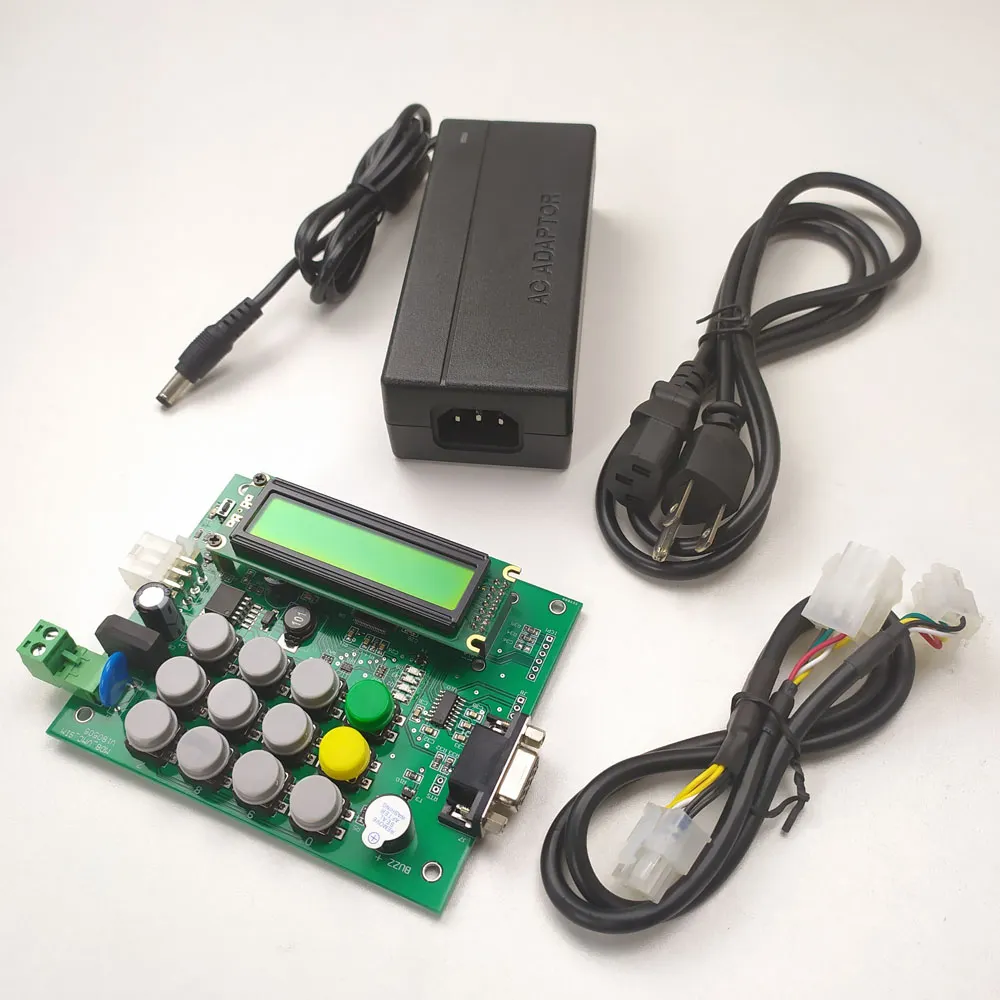

VMC board
Smart VMC board for cashless device test. It is very easy to start!
The MDB protocol vending machine smart VMC main board is mainly for the users who are engaged in the design of the vending machine MDB and Dex interface, or do the vending machine management system. The self-service vending mobile payment system design user provides a simple and easy testing platform.
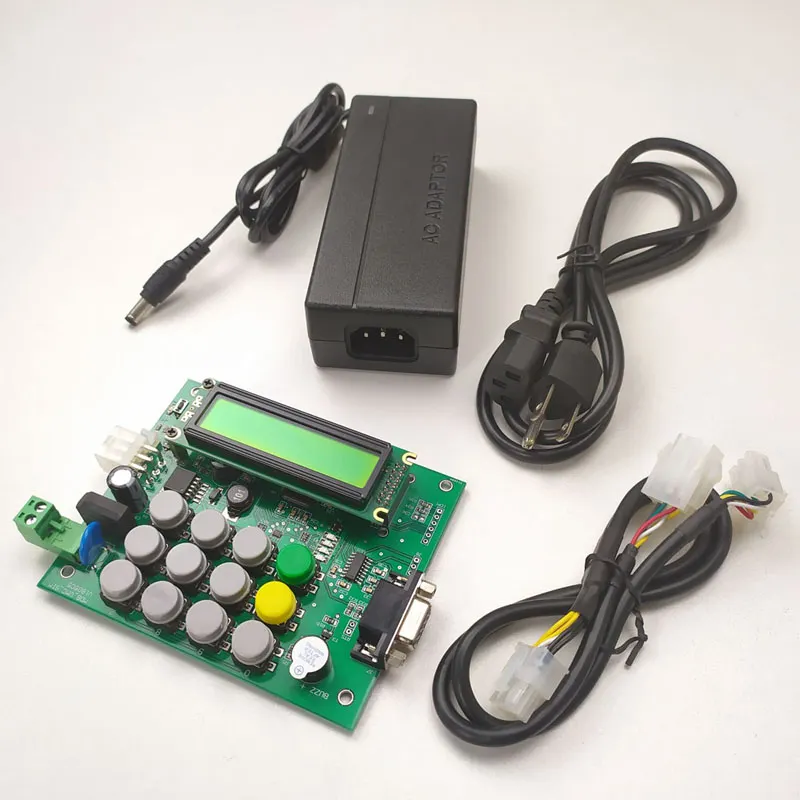
Power the Board
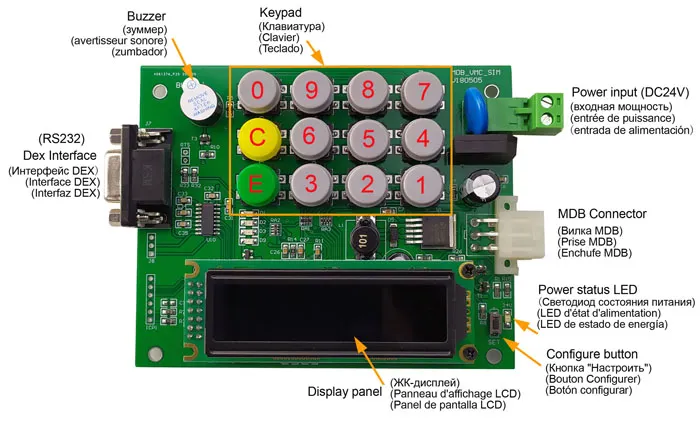
Main board should be powered with DC24V, It is not necessary to distinguish between the positive and negative polarities of the DC power supply
Interface
Main board include 6PIN MDB interface and RS232 Dex interface.
Setup Menu
The setup menu is accessed by holding the RESET button for 1s. The menu shows a list of modes and the button number used to select them. The modes are:
This main board is for test purpose,so normally,we don’t need to setup the parameters.
1=PROG
Program mode to access all VMC variables.
2=TEST
Test mode
3=AUDIT
Audit mode displays vending machine audit information on the LCD screen.
4=INFO
Info mode displays VMC version information and other live data.
5=IMPORT
Import mode is used to load program mode settings from a SD flash card.
6=EXPORT
Export mode is used to save various report and setting to a SD flash card.
C=EXIT
Return to dispense mode.
How to program the price (如何设置产品价格)
To start price setting, press E when the SET PRICES item is displayed and then follow the procedure below:
1. Enter the 3 digit PRICE SET / ITEM CODE as prompted or press ‘C’ to exit.For PRICE SET,then always enter ‘1’ when prompted to “SELECT PRICE SET”.
2. The current price setting for the selected item will now be displayed. To view a new price setting press C and restart from step 1.
3. To change the price setting press E to show the cursor. Note the price setting will be changed to the default value of ‘NOT USED’.
4. If the item code is to be used then enter the desired price using the keypad. Note the maximum price is $600.00 and the minimum price is $0.00.
5. Press E to save the new setting or C to cancel.
6. Continue from step 2 above
Repeat the above procedure until all prices are set and all items code that are not valid are set to ‘NOT USED’.
Other parameters not supported for change
How to use
VMC board support the following MDB payment device address, MDB coin acceptor (08H), bill acceptor (30H) and cashless payment device (10H). After the mainboard is powered on, it enters the MDB peripheral device search. Only when found the MDB payment device, it enters the normal operation interface.Then it is possible to make payment through the payment device and select the corresponding goods through the keyboard for shipping operations
How to test with RS232-MDB
RS232-MDB is designed by Shanghai Wafer Microelectronics Co.,Ltd. And it is working as 10H address cashless payment device.Just simply plug the RS232-MDB to the MDB interface and then powered on,Then from the PC RS232 tools will receive the device version information,configure parameters.
Wafer has already built-in all the functions of the VMC mdb protocol. And it also compatible with almost all vending machine main board.So now we only need to do is to use the simple command to add the credit value to VMC and then can disense the goods with the keypad.
What is the function of the Board
This main board VMC board is very useful of cashless payment interface design project, Dex interface understanding and the Vending machine management system design and test.Then users don’t need to install a heavy and big vending machine near the design house.